Find the gaps
Start with product coverage. Filter by language, state or exceeded length limits and focus on the strings that need attention.
OPEN SOURCE LOCALIZATION
From repositories to the people behind the words. Search, translate and approve your product strings in one shared workspace. See saved translations in screenshots generated from your Compose previews. Self-hosted. Apache 2.0.
For translators, reviewers and developers.
NEW · SCREENSHOTS FROM COMPOSE CODE
Generate screenshots directly from your Android Compose previews, with your saved translation applied. Review wording, wrapping and spacing beside the text before you approve.
Explore the screenshot workflow@Preview
@Composable
fun CheckoutPreview() {
CheckoutScreen(
confirmLabel = stringResource(
R.string.confirm_order
)
)
}confirm_order 15 / 24 characters
Controlla il tuo ordine prima di confermare.
Save your wording, choose a registered preview and request a screenshot. Generation runs in the background.
Keep the source, proposal and review actions together. Open the screenshot at full size when you need a closer look.
Older captures and unsaved changes are flagged. Generate again after saving to inspect the latest proposal.
For configured Android Compose projects. Your team registers a callable preview and prepares a capture runner. See developer setup.
Edit Italian, save a draft and move on to review.
See coverage and the languages with the most missing translations at a glance.
Example: 1,200 keys × 3 target languages. Coverage ≠ approval.
Compare the original and the proposal before approval.
checkout.confirmItalianoConferma
Save a draft in Translations to try the review step.
In VerboFlex, approval and pull request submission are separate actions.
This is an illustrative preview. Enable JavaScript to try editing and review, or read the guide.
FROM DETAIL TO OVERVIEW
Start with product coverage. Filter by language, state or exceeded length limits and focus on the strings that need attention.
Compare languages, edit native plurals and reuse suggestions. Generate a screenshot from a configured Compose preview to see your saved wording on screen.
Keep drafts, approvals and repository submission separate. Developers receive approved changes in a Bitbucket pull request.
INSIDE THE APP
Actual VerboFlex screens with Northstar demo data. Captured October 2026.
 View full size
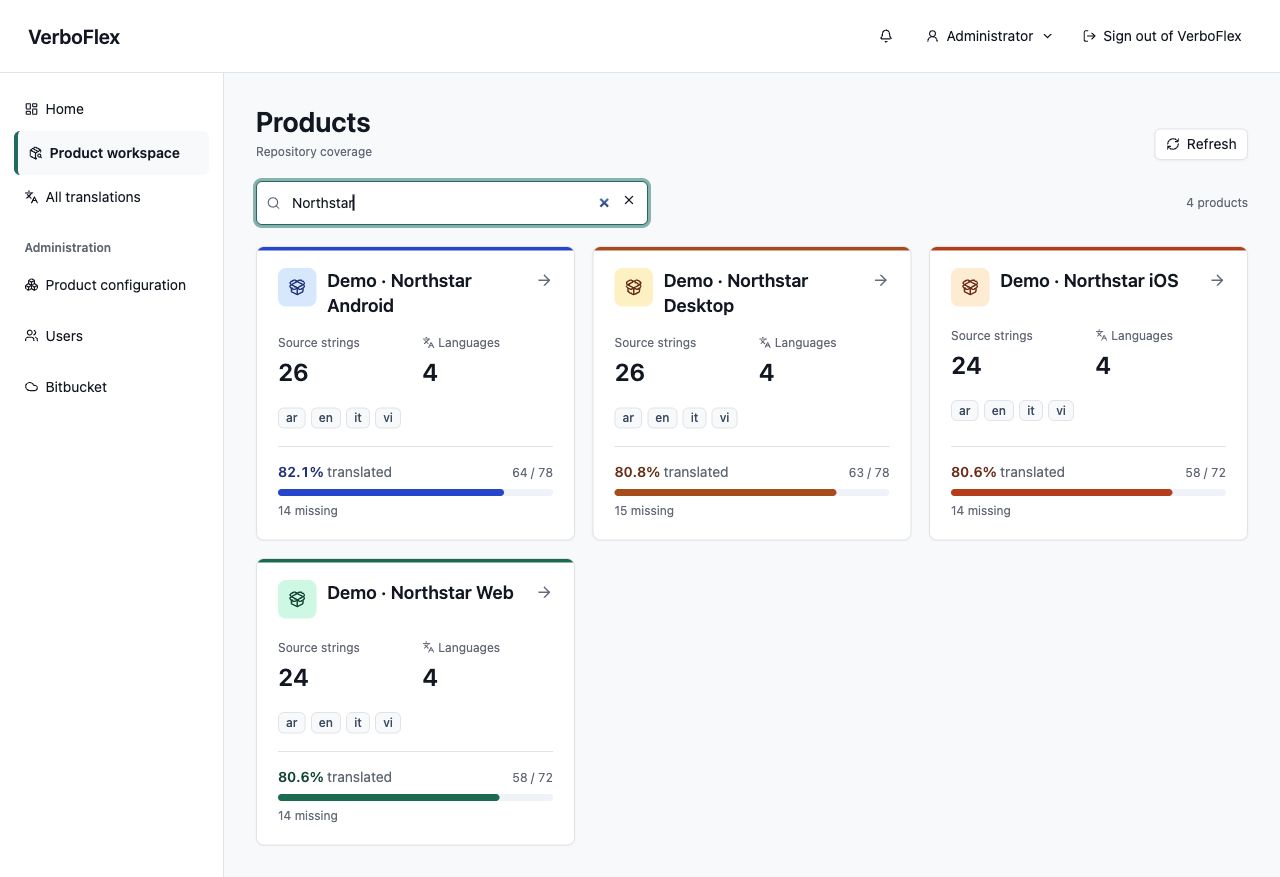
Search products and compare source strings, supported languages, missing translations and repository coverage.
How to use it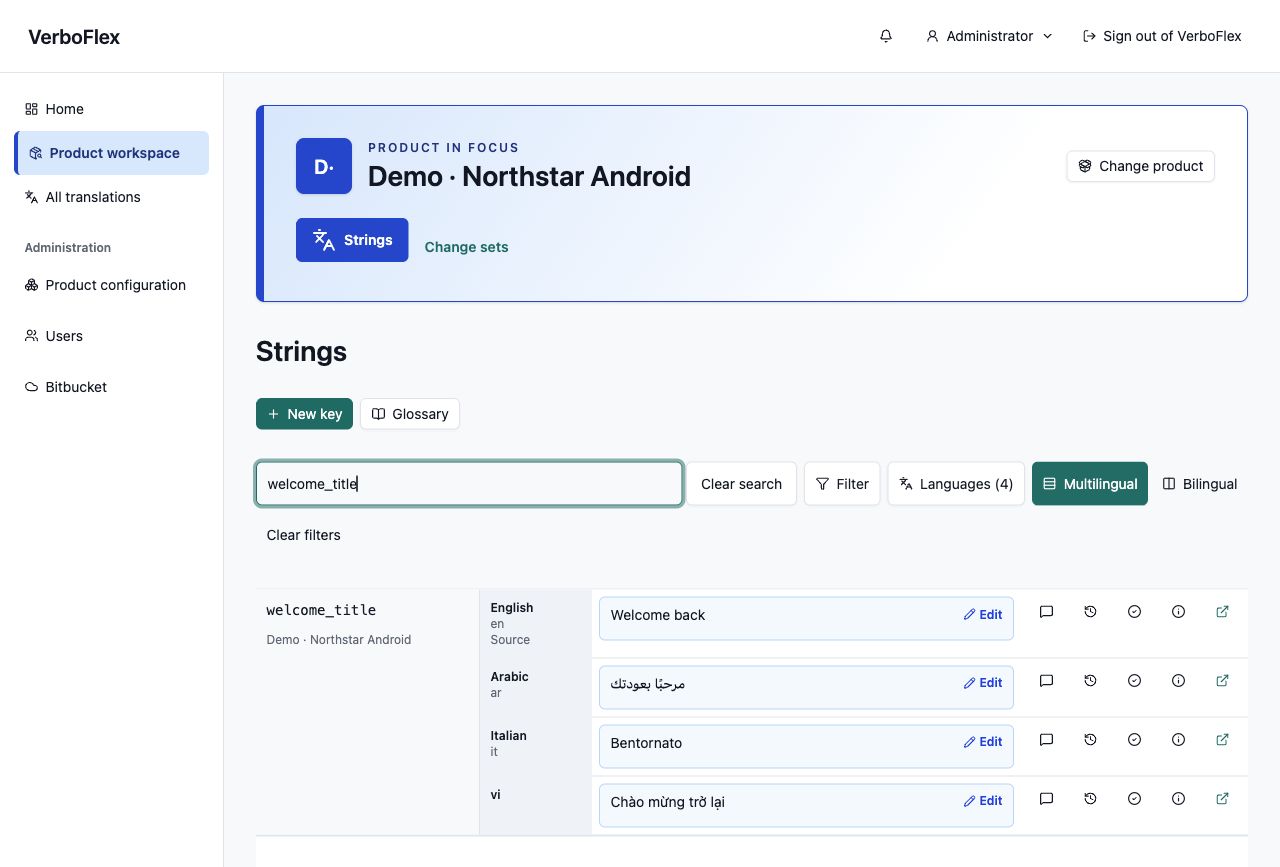 View full size
Compare English, Arabic, Italian and Vietnamese together. Each key keeps its product name and editing tools in view.
How to use it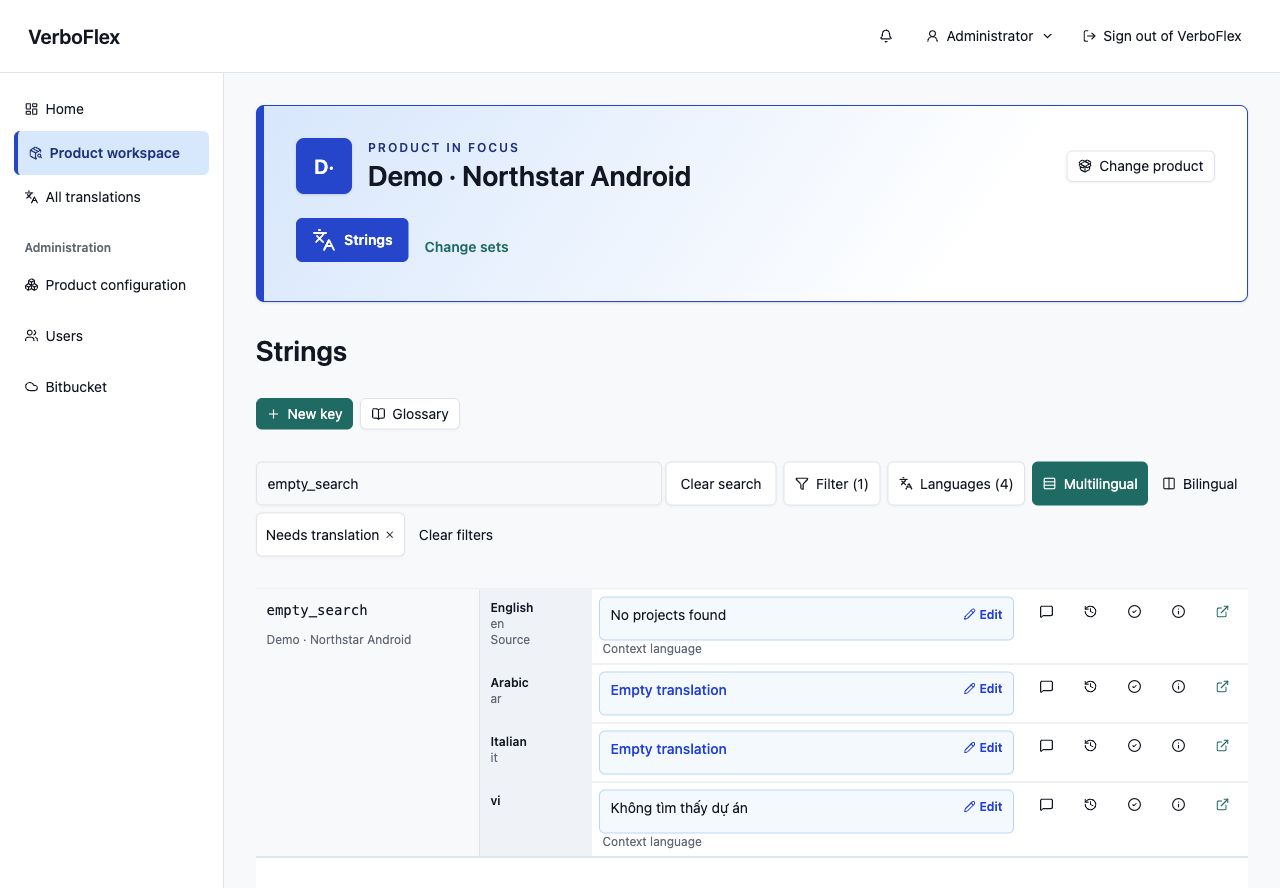 View full size
Needs translation finds empty values while keeping other languages visible for context. Only supported product languages appear.
How to use it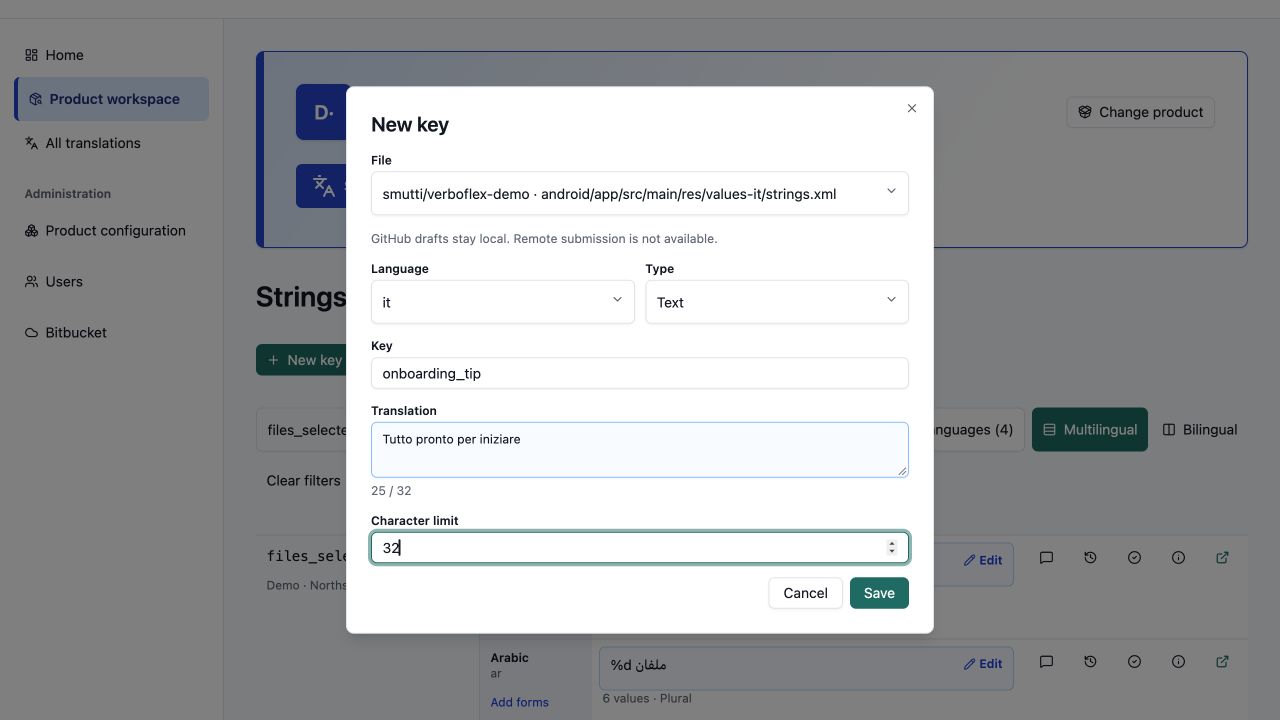 View full size
Choose a mapped file, enter a key and translation, and set an optional character limit. Save a draft for review.
How to use it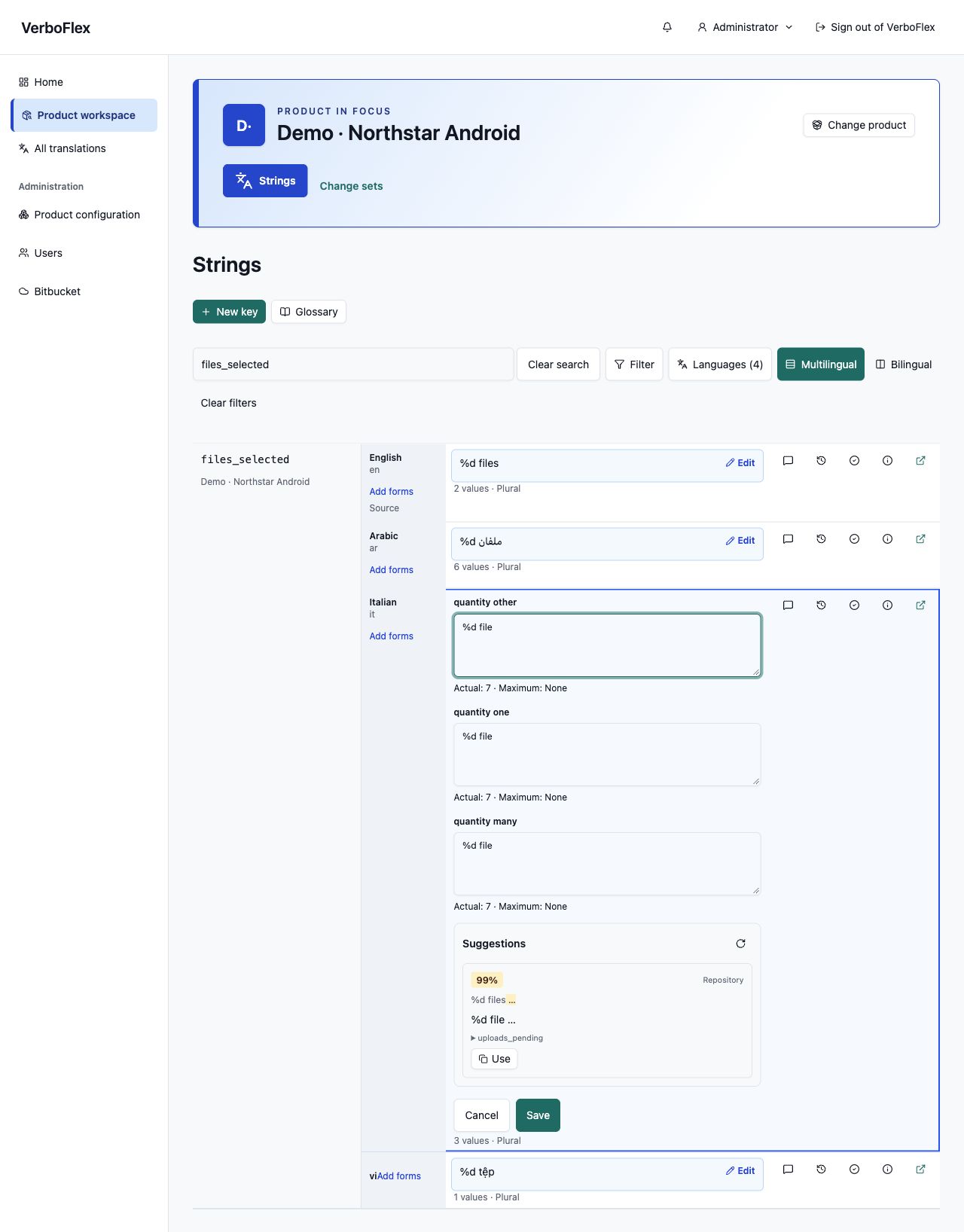 View full size
Work on individual Android and Qt plural forms. Keep quantity placeholders intact and add missing supported categories.
How to use it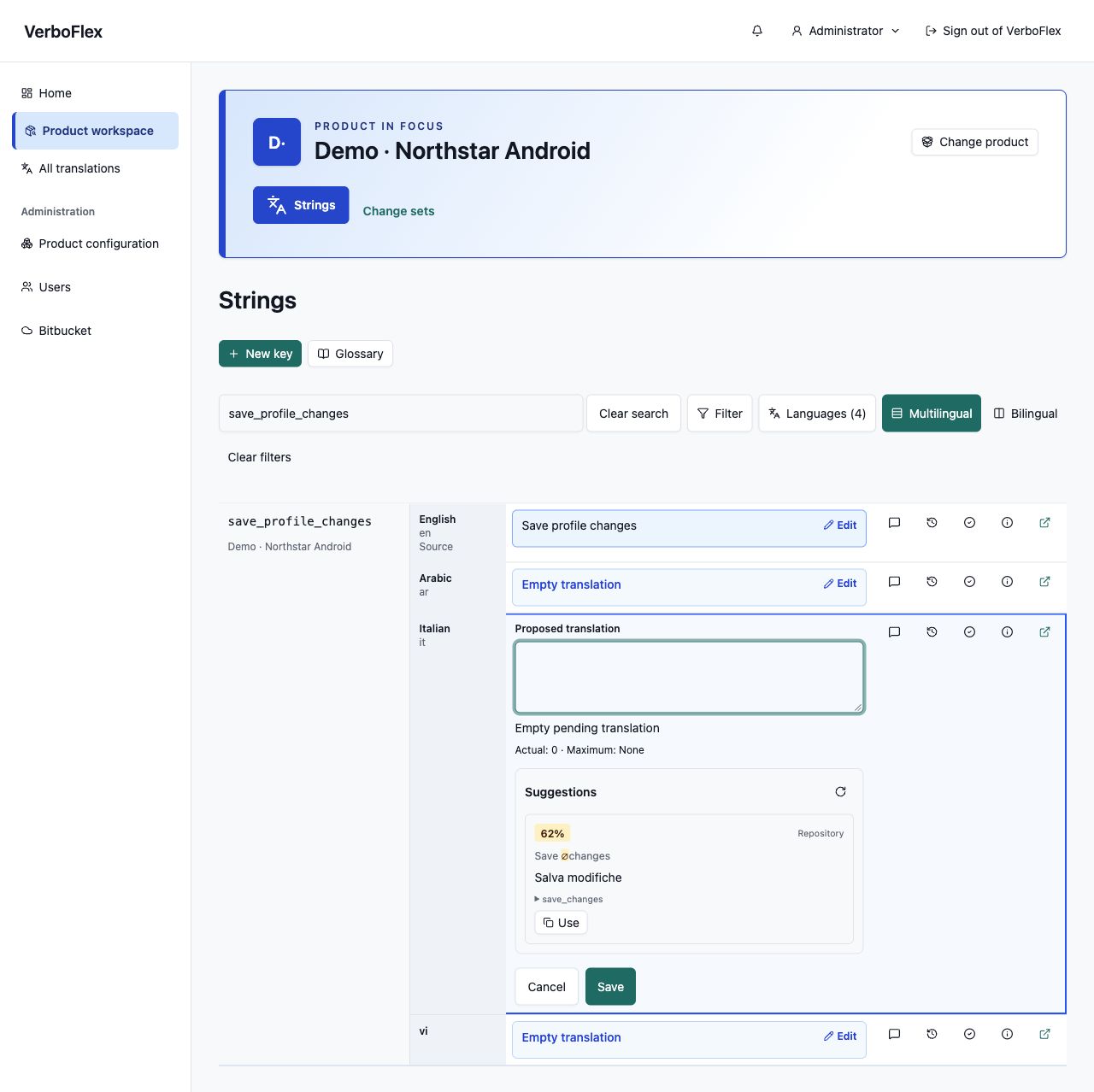 View full size
See exact or similar wording from the same product. Compare the source, copy a suggestion, then adapt it before saving.
How to use it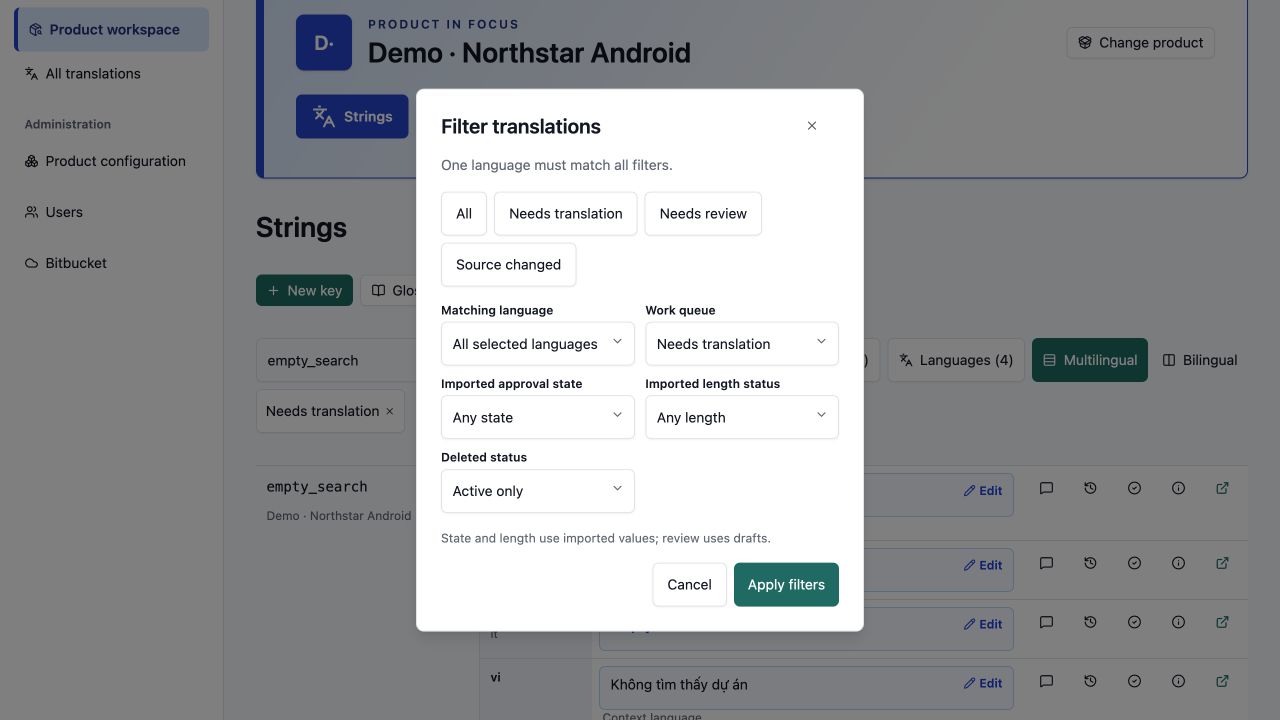 View full size
Filter by language, missing translations, review needs or source changes. Searchable selectors make long lists easier to navigate.
How to use itCONNECTED TO YOUR WORKFLOW
Choose repositories, branches, folders and the base language. Check the preview before importing.
Find a key and edit the language you need. Save your text as a draft.
Compare proposals, check length limits and inspect a Compose screenshot before approving or rejecting changes.
Group approved changes and submit them to Bitbucket through a pull request.
GitHub changes remain local to VerboFlex. Repository submission is available for Bitbucket Cloud.
Follow the complete workflowDIFFERENT REPOSITORIES. ONE SHARED SPACE.
Mobile, web and desktop applications: configure translation sources for each product.
Import, refresh, review and send changes back through a pull request.
Connect a repositoryImport, refresh and review in VerboFlex. Private repositories and remote writes are not yet supported.
Explore the supported workflowEditing also depends on file structure. The preview reports unsupported structures.
A SHARED EFFORT
Text, context and comments.
Comparison, approval and rejection.
Users, products and repositories.
Read-only access to translations.
WORK WITH YOUR ASSISTANTS
Connect through MCP and OAuth. Read translations and, when authorized, prepare changes while keeping the same roles and review steps.
Set up the MCP connectionFind Italian translations that exceed their character limit.
verboflex:readRead access first. Write access by consent.VerboFlex renders a registered preview from your Android application code with the saved translation. Your team configures the preview and runner once; translators can then request screenshots from the translation detail. The image shows the fixture’s example screen state.
No. An administrator sets up the sources. You can then find, edit and discuss text in the UI; sending changes to the repository is a later step.
No. Saving creates a draft. For Bitbucket, review and pull request submission come next. GitHub changes remain local.
A refresh updates the imported data. Proposals that no longer match their base must be reconciled. Translations deleted at the source are removed from VerboFlex.
This is the product website and guide. VerboFlex runs on a separate server; your team’s administrator provides the address and your account.
Try the sample, explore the source, or run your own workspace.